Live on Vercel
Web Development · UI/UX · Full-Stack

TripShare —
Plan, Share & Discover Trips

A collaborative travel itinerary web app built with Next.js, React, and Supabase — featuring social sharing, real-time updates, and an AI travel assistant powered by OpenAI.

Next.js React Supabase OpenAI shadcn/ui Figma
Scroll to explore
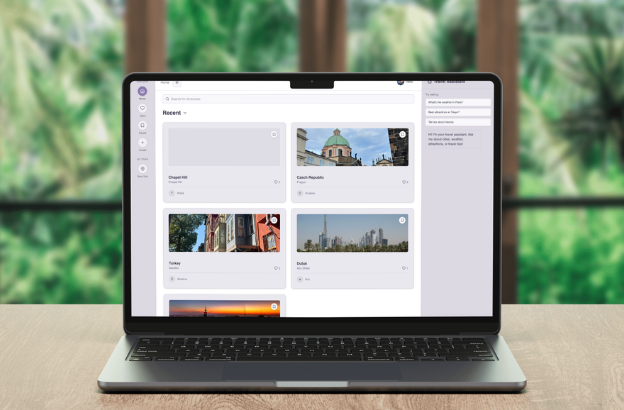
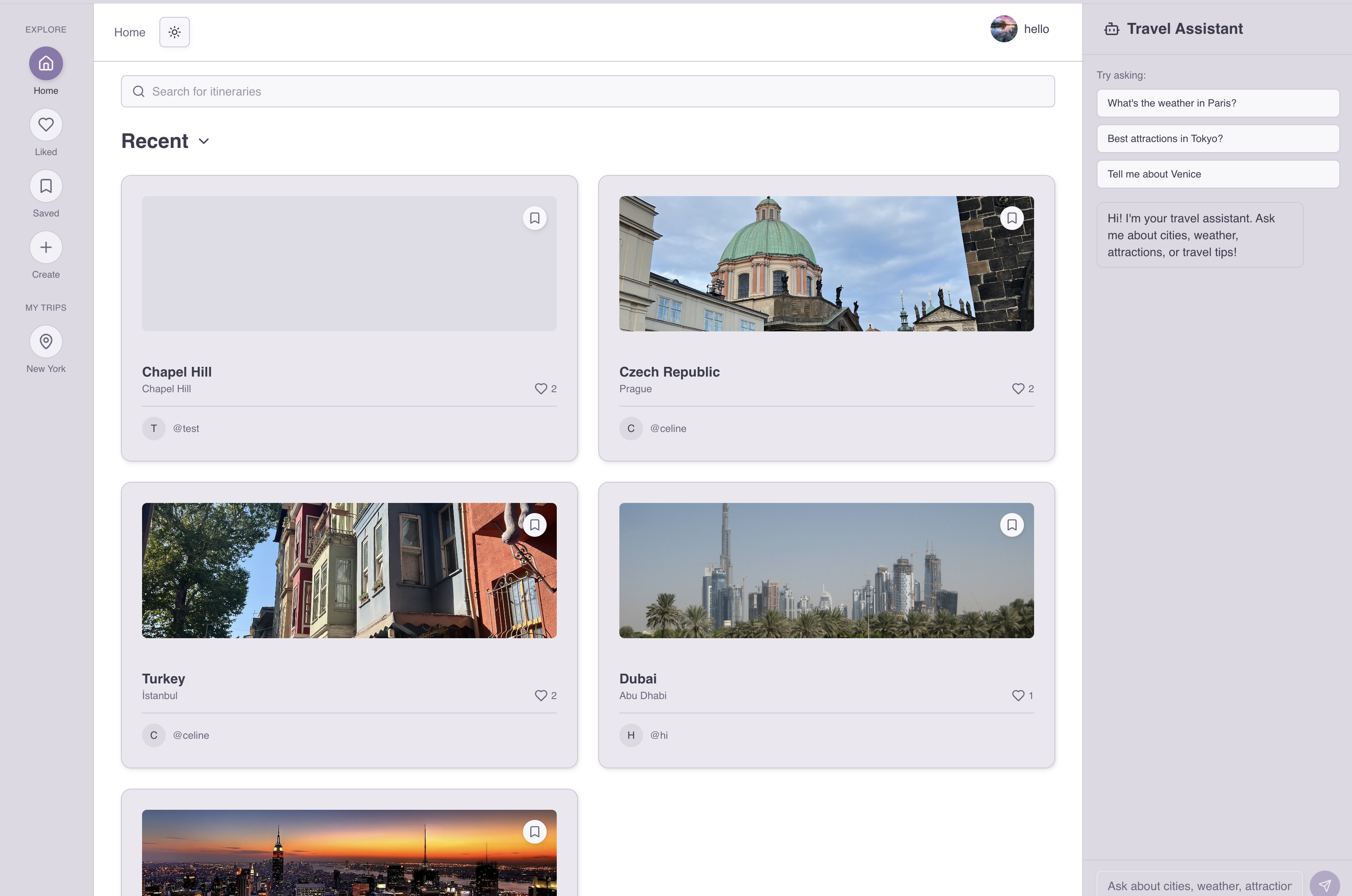
TripShare — collaborative travel itinerary web app shown on a laptop

Type

Personal Project

Designed & developed solo

Role

Full-Stack & UI/UX

Design · Frontend · Backend

Stack

Next.js · Supabase

OpenAI · shadcn/ui · Figma

Status

Live on Vercel

Deployed & accessible

01 / Overview

A Social Layer
for Travel Planning

TripShare is a collaborative travel itinerary web application designed to help users plan, share, and discover trips within a social travel community. It combines the structure of an itinerary builder with the discovery and interaction model of a social feed — all in one place.

The platform brings together three distinct experiences: itinerary creation for logged-in users to build detailed trip plans, community discovery to browse, like, and save others' itineraries, and an AI travel assistant for real-time destination ideas and planning guidance powered by OpenAI.

By combining social features, real-time functionality, and AI-powered interaction, TripShare demonstrates how modern web technologies can support a community-driven approach to travel planning.

View Live App

The Idea

Travel planning is fragmented — notes apps, spreadsheets, group chats. TripShare puts the plan, the community, and an AI assistant in one place, removing the friction of coordinating across tools.

The Approach

Design-first in Figma using shadcn/ui's component system, then build with Next.js and Supabase for a real backend — not a prototype, but a fully deployed, working application.

App Preview — Itinerary Discovery Feed

tripshare-14-ofaf.vercel.app

Tokyo in 7 Days

4 cities · 12 stops

♡ 42

Amalfi Coast

3 cities · 8 stops

♡ 31

Iceland Road Trip

6 cities · 20 stops

♡ 58

02 / Key Features

Everything a Traveler
Actually Needs

Five core features that together form a complete social travel planning experience — from building your first itinerary to getting AI-powered recommendations on the fly.

🔐

User Authentication & Profiles

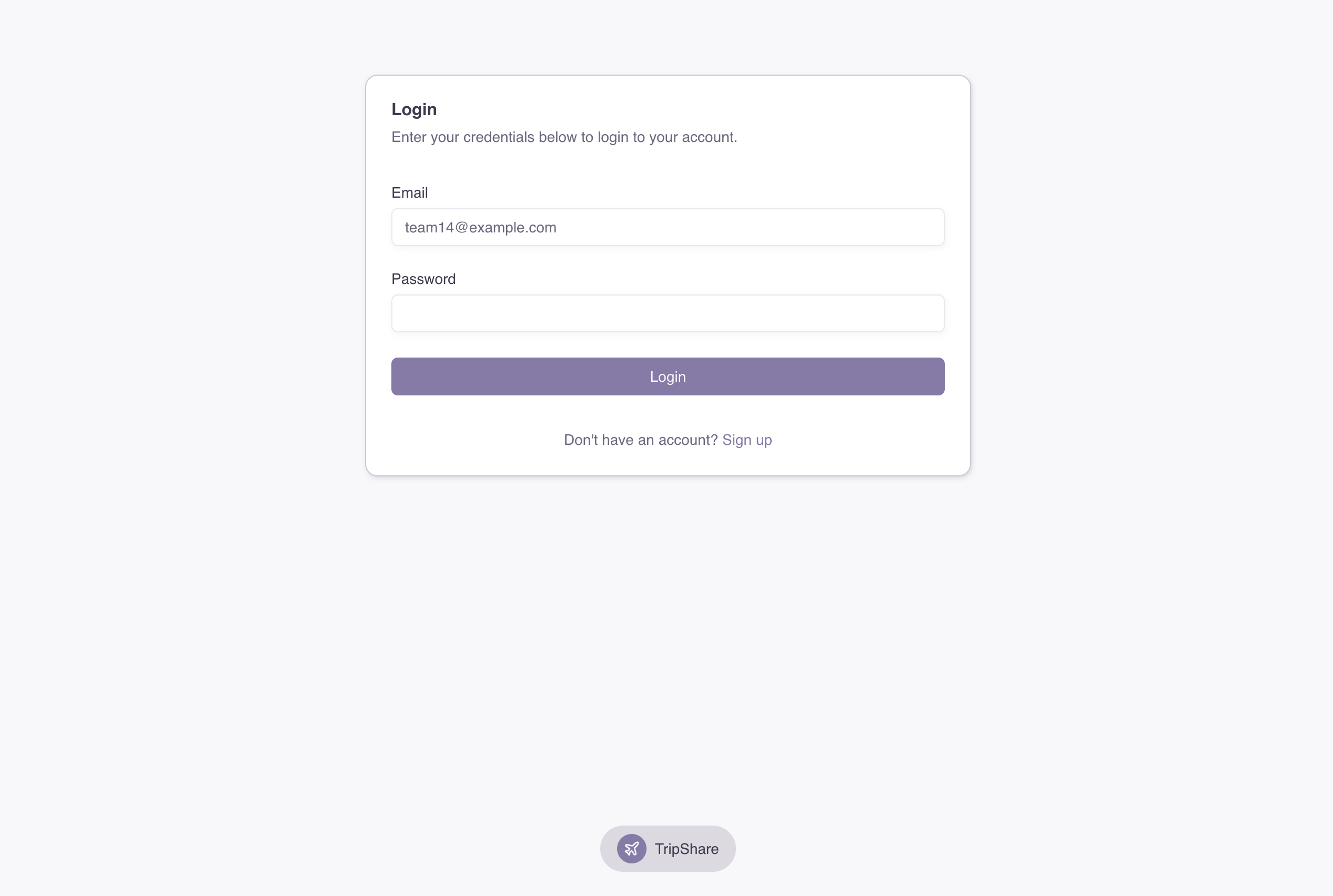
Sign-up and login with personalized experiences. Itineraries, likes, and saved posts are all linked to individual user accounts via Supabase Auth.

🗺️

Itinerary Creation System

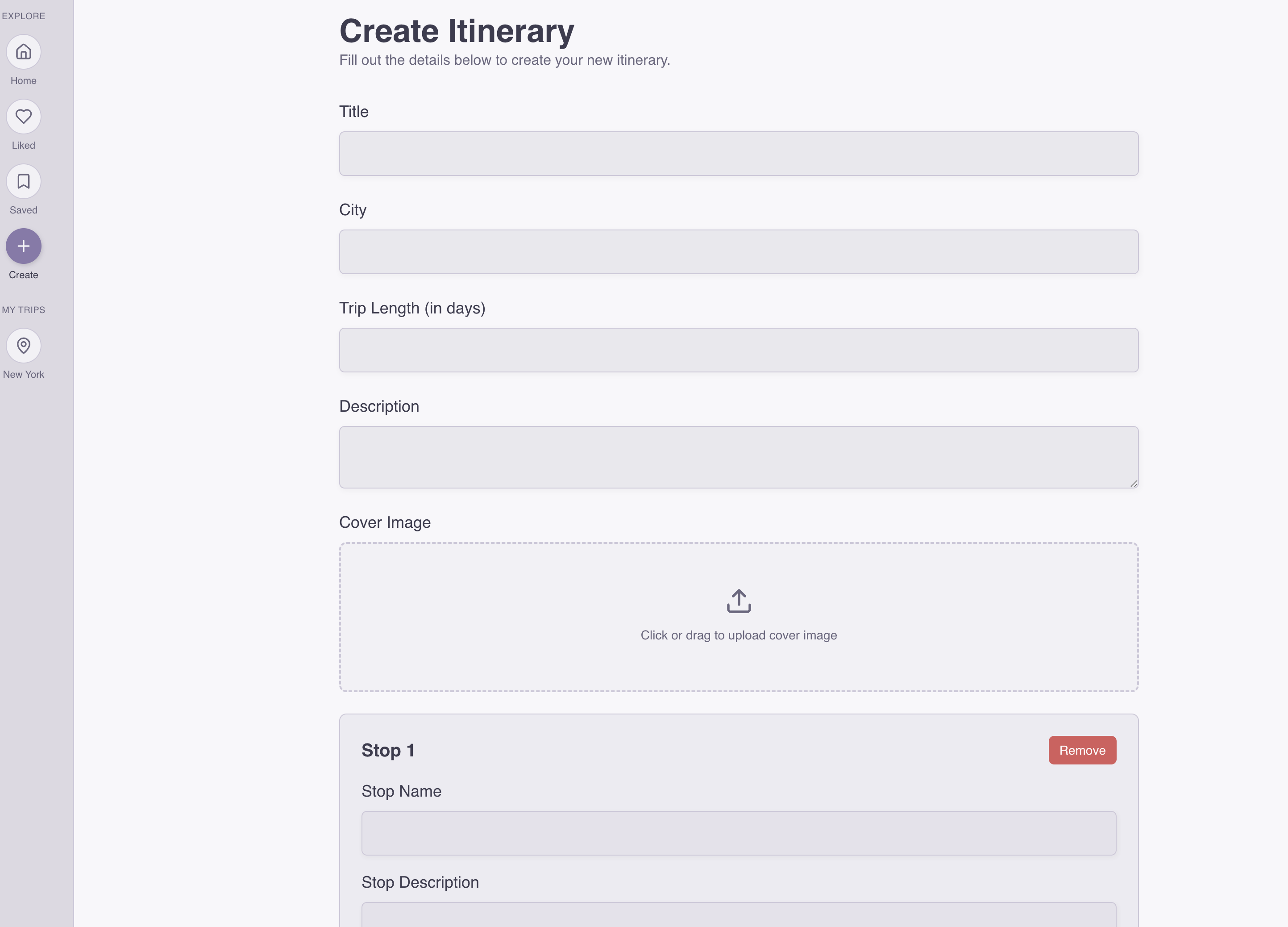
Logged-in users can build structured trip plans — adding cities, descriptions, locations, and photos in a clean, step-by-step format.

🌐

Content Discovery & Interaction

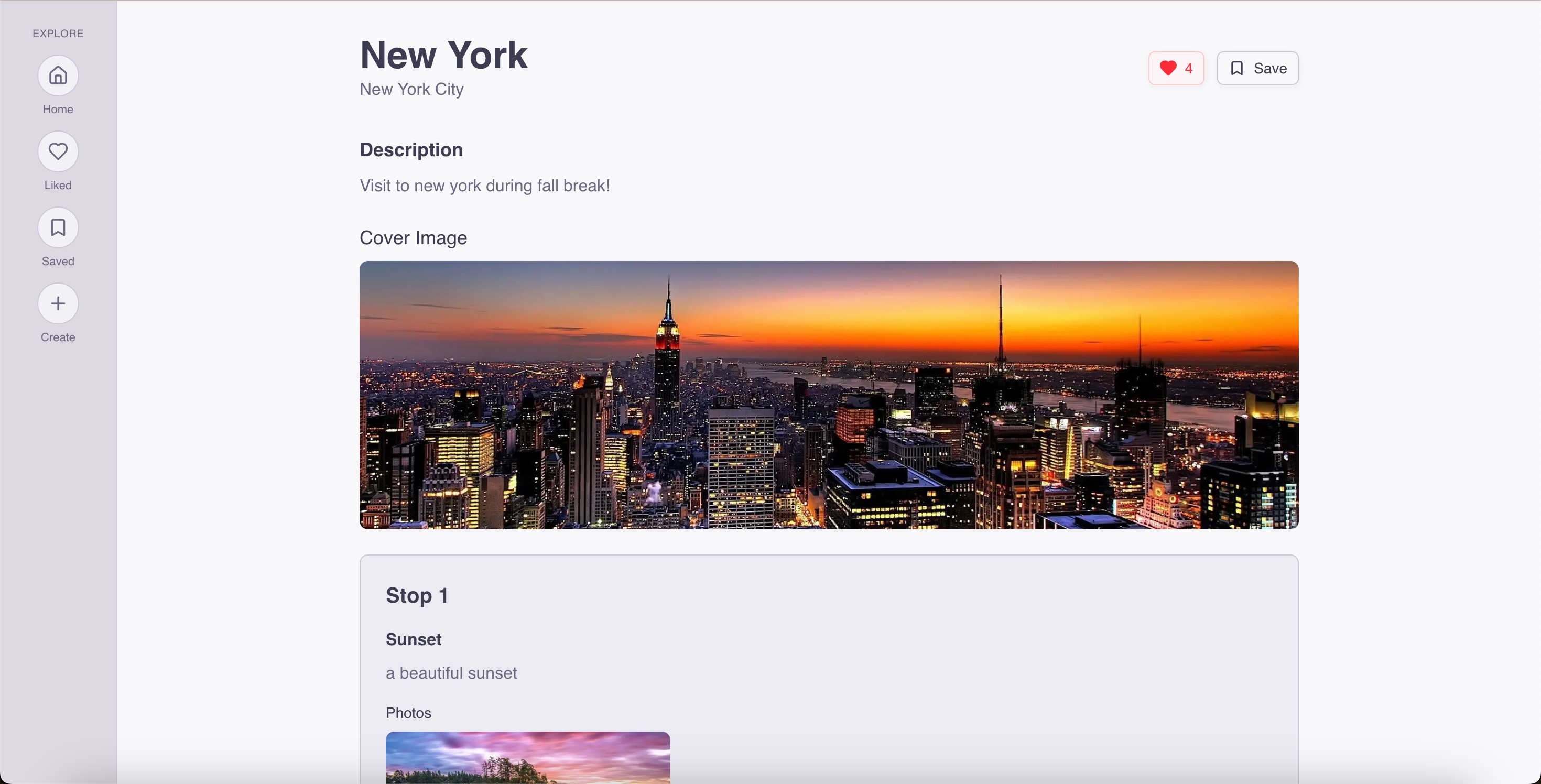
Browse community itineraries, view trip details, like and save posts, and search across the full library of shared trips. Dedicated pages for saved and liked content.

🤖

AI Travel Assistant

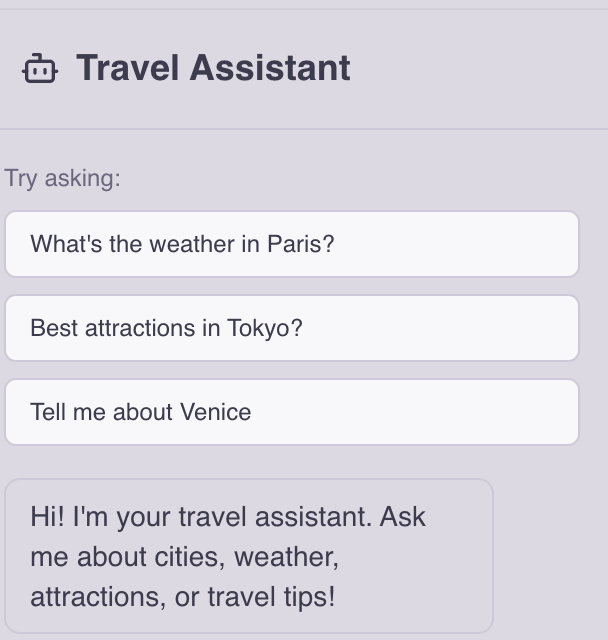
An integrated chat panel powered by OpenAI provides destination ideas, itinerary suggestions, and travel planning guidance — in real time, without leaving the app.

🎨

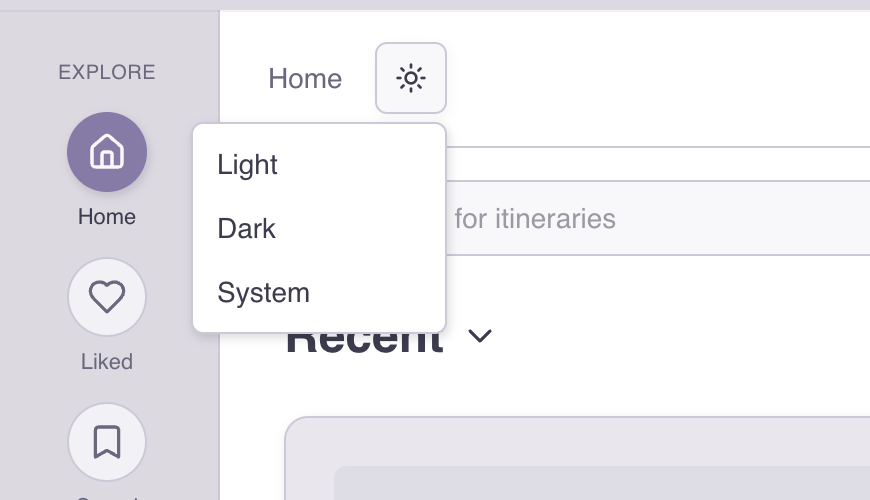
Theme Customization

Users can switch between light, dark, or system theme modes — improving accessibility and letting each user set the interface to their preference.

Real-Time Updates

Built on Supabase's real-time subscriptions — likes, saves, and new posts update across the feed without a page refresh, keeping the community experience live.

AI Travel Assistant — In-App Chat

TripShare AI · Powered by OpenAI

What are some underrated spots in Portugal I should add to my itinerary?
Great choice! A few underrated spots worth adding: Évora for Roman ruins and the bone chapel, Óbidos for its walled medieval village, and Comporta for quiet beaches away from the Algarve crowds. Want me to suggest a route that connects these with Lisbon?
Yes — 7 days starting and ending in Lisbon.
Perfect. Here's a 7-day loop: Day 1–2 Lisbon → Day 3 Évora → Day 4 Óbidos → Day 5–6 Comporta → Day 7 back to Lisbon via Setúbal. Each stop is under 2 hours by car. Want me to flesh out stops for any of these days?

Theme Customization — Light & Dark Modes

Light Mode

Dark Mode

03 / Tech Stack

Choosing Tools
That Do the Work

Every choice in this stack was deliberate — optimizing for a great developer experience, real backend functionality, and a polished UI that didn't start from scratch.

Next.js

App router, server-side rendering, and API routes. Handles routing, performance, and the bridge between the React frontend and Supabase backend.

React

Component-based architecture for the UI. Pairs with shadcn/ui for a consistent design system built on Radix UI primitives and Tailwind CSS.

🟢

Supabase

PostgreSQL database with real-time subscriptions and built-in authentication. Handles user accounts, itinerary storage, likes, saves, and live feed updates.

🤖

OpenAI API

Powers the in-app AI travel assistant. The chat panel sends user queries to the OpenAI API and streams responses back into the UI without page reloads.

🧩

shadcn/ui

Pre-built, accessible component library built on Radix UI and Tailwind. Accelerated UI development while maintaining full control over styling and behavior.

Figma

Full design work done in Figma before a single line of code — layouts, component states, light/dark themes, and responsive breakpoints all designed first.

"Supabase made the backend genuinely simple — authentication, the database, and real-time updates are all one service. It let me focus on product decisions rather than infrastructure, which is the right trade-off for a solo project."

04 / Process

How I Built
TripShare

1

Design First in Figma

Before writing any code, I built the full design in Figma — every screen, both light and dark themes, and the key component states. Designing first meant I could make layout and interaction decisions cheaply, before the cost of changing them was measured in code refactors.

2

Setting Up the Data Model

With the design in place, I mapped out the Supabase schema: users, itineraries, cities, locations, likes, and saves. Getting the relational structure right before building the UI meant I didn't have to rewrite queries mid-feature — the data model drove the component structure.

3

Authentication & Profiles

Supabase Auth handled the heavy lifting for sign-up and login. The challenge was connecting auth state to the app's social features — ensuring likes, saves, and created itineraries were always tied to the right user and persisted correctly across sessions.

4

Building the Itinerary Creator

The itinerary creation flow was the most complex UI piece — a multi-step form that lets users add cities, descriptions, locations, and photos in sequence. Using shadcn/ui components sped up the form work considerably, letting me focus on the state management and validation logic.

5

Integrating the OpenAI Assistant

The AI chat panel was the last major feature. I connected the OpenAI API through a Next.js API route so the key never exposes to the client, then wired up streaming responses so answers appear token by token — making the interaction feel live rather than waiting for a full response block.

6

Deployment on Vercel

Vercel's Next.js-native deployment made shipping straightforward — environment variables for Supabase and OpenAI keys, automatic preview deployments on every push, and a production URL from day one. The app has been publicly accessible since launch.

05 / Reflection

What I Took
Away

  • Design before code pays dividends. Every hour in Figma saved three in refactoring. The component system I designed became the structure I built.
  • Data modeling is a product decision. How you structure the database determines what features are easy or hard — the schema is as much a design artifact as the UI.
  • Shipping beats perfecting. Deploying early and iterating on a live URL changed how I thought about the product — real access reveals problems that wireframes don't.
  • API keys belong in server routes. Integrating OpenAI through a Next.js API route kept the key server-side — a small architectural decision with real security implications.

Hardest Part

The itinerary creator's multi-step state management — coordinating city additions, location lists, and photo uploads in a single form without the state collapsing.

Most Satisfying

Watching the AI assistant stream a real, contextual travel plan in response to a user query. It's the moment the product went from a CRUD app to something that felt genuinely useful.

What I'd Add Next

Collaborative itineraries — letting multiple users edit a shared trip plan in real time. Supabase's real-time infrastructure is already in place; it's a product and UI problem now.

A Social Travel App,
Fully Deployed

From design in Figma to a live Vercel deployment — TripShare is a complete, working product. It combines a real backend, community social features, and AI travel assistance in a single, accessible web app.

Open TripShare